Get started with Loggr
Loggr shows how the things you track relate to each other. Create an account, choose two or three things that belong together, and log your first day.
Updated

Create your account
Loggr runs on iPhone, on Android and in the browser at app.loggr.cloud. Install the app or open the web app, then choose how you sign up:
- Continue with Google, Continue with Microsoft or Continue with Apple takes you straight in.
- Sign up with your email address and a password of at least 8 characters.
Use the same method every time you log in. Your data belongs to that account, on every device.
Choose what to track first
A tracker is one thing you log each day, such as sleep hours, coffee or a headache. The first time you open Loggr, it offers a few starting points:
- Choose Get started on the welcome screen.
- Pick what you want a handle on, such as Sleep & energy, Headache / migraine or Mood & wellbeing. Each comes with four trackers.
- Uncheck anything you don't want to track and create the rest.
- Log your first day, then choose Go to Today.
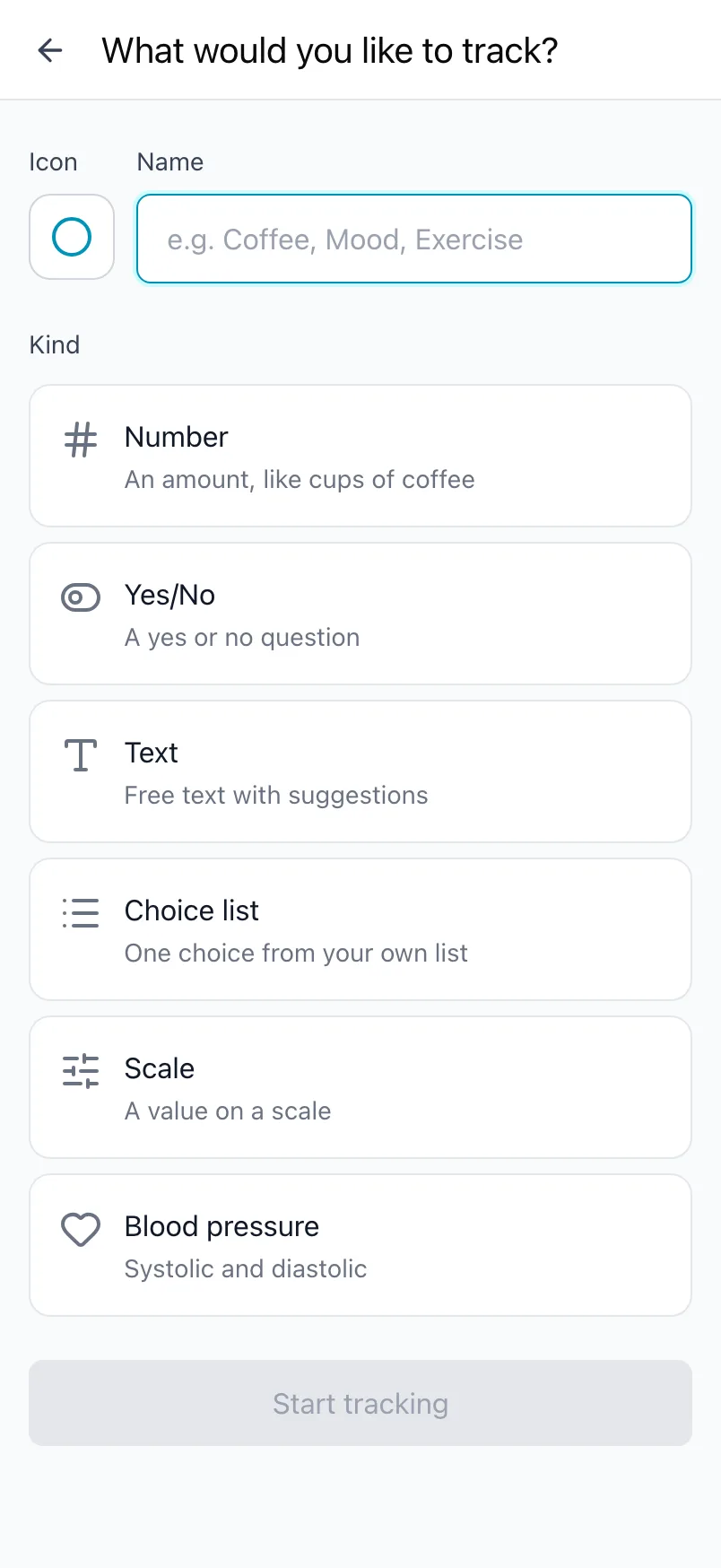
Rather build your own? Choose Build your own and Loggr opens What you track, where you add trackers one by one. How that works is in Set up what you track.
Start with two or three things that you think are related. One tracker shows a trend, but the value of Loggr is in the patterns between them: how your sleep relates to your energy the day after, or your coffee to your headaches.
Find your way around
Loggr has four tabs at the bottom:
- Today: log the day. Every change is saved straight away. See Log your day.
- Timeline: the days you logged, newest first. See Look back with Timeline.
- Stats: numbers and charts for each tracker, and insights between them. See Read your stats.
- Settings: what you track, reminders, subscription, data and account. See All settings.
Keep it going
A daily reminder helps you log every day; a new account starts with one at 20:00. Change the days and times in Daily reminders.
After a few weeks of logging, the Insights card in Stats starts pointing out patterns between the things you track. That is where Loggr is at its best: read Insights between what you track.
Frequently asked questions
What is Loggr?
Loggr is an app for tracking, every day, anything you want to keep an eye on: sleep, mood, headaches, coffee, steps, blood pressure or something only you track. You choose what you track, log it in a few taps each day, and Loggr shows how it changes over time and how the things you track relate to each other.
The value is in the patterns between them, such as how your sleep relates to your energy the day after. That is why it pays to start with two or three related things rather than one.
Loggr runs on iPhone, Android and the web at app.loggr.cloud, with one account for all of them.
How do I create an account?
Open Loggr and choose how you want to sign up:
- Continue with Google, Continue with Microsoft or Continue with Apple takes you straight in.
- With Sign up you use your email address and a password of at least 8 characters.
The same choices are on iPhone, Android and the web, and you log in with the same method on every device.
What should I start tracking?
Start with two or three things that you think are related. One tracker shows a trend, but it takes at least two to see a pattern between them.
Some combinations that work well:
- Sleep hours, energy and mood.
- Coffee, water and headache.
- Steps, screen time and how rested you feel.
A new account offers starter templates, such as Sleep & energy or Headache / migraine, each with four ready-made trackers. You uncheck anything you don't want to track. You can also find them later on an empty Today screen under Browse starter templates.
Which devices does Loggr work on?
Loggr works on iPhone, on Android and in the browser at app.loggr.cloud. Log in with the same account and you see the same trackers and data everywhere.
Buying Loggr Pro is only possible in the iPhone or Android app. Once you have Pro, it also works in the browser when you log in with the same account.