
Insights between what you track
This is where Loggr is at its best. Insights look for patterns between the things you track, such as how your sleep relates to your energy the day after.
Updated

What insights show
The Insights card sits on top of Stats. It points out the strongest patterns in your data for the period you chose, for example:
- Two trackers that move together, or in opposite directions, such as sleep hours and coffee.
- One tracker that moves with another from the day before, such as energy after a night of sleep.
- A Yes/No tracker that goes together with higher or lower values elsewhere, such as headaches on days with more coffee.
A week shows at most one insight, a month two and a year three.
Open an insight
Tap an insight to see the Trackers involved, a chart of both over the period and How to interpret this.
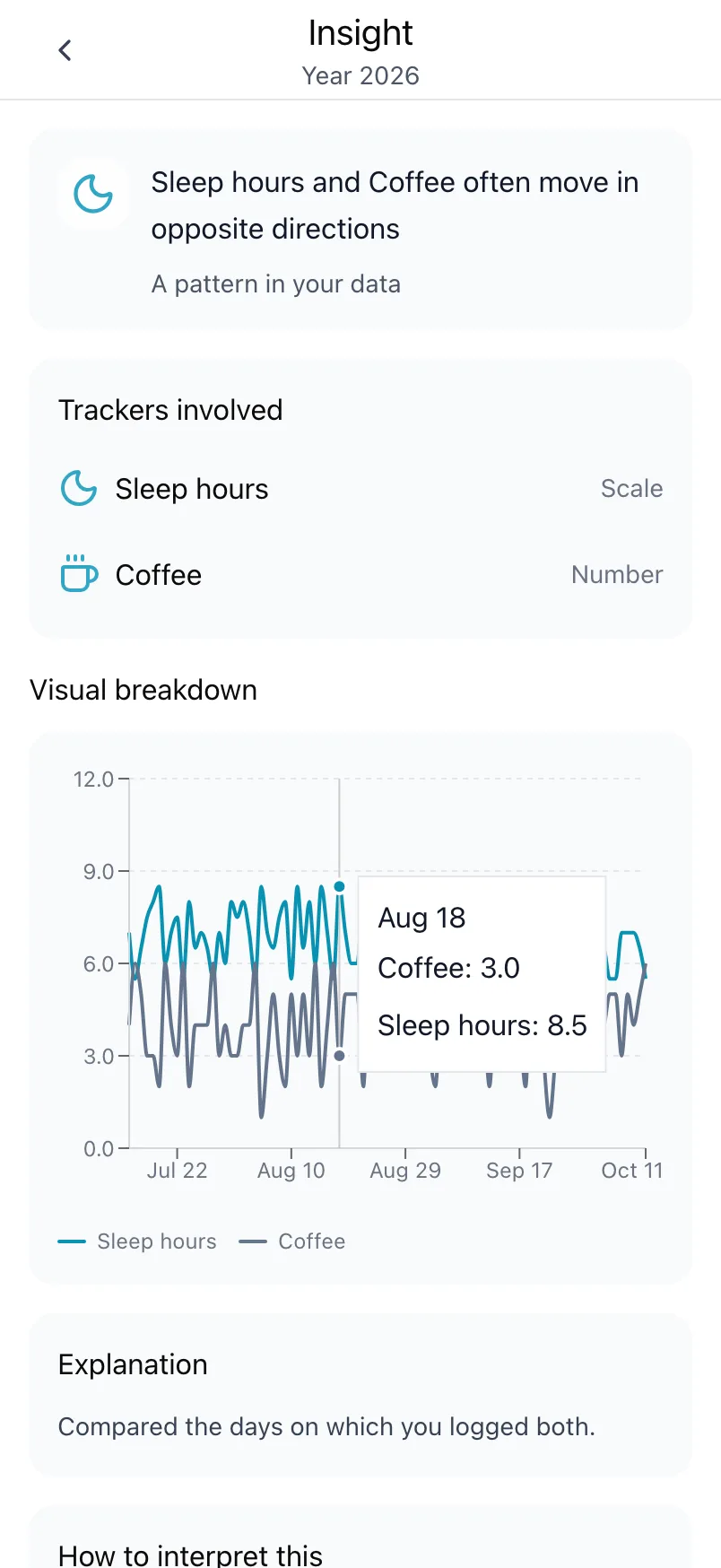
An insight shows that two things go together in your data. It does not show that one causes the other: maybe both follow a third thing you do not log. Use insights as a lead to try something, such as one coffee less for a week, and see what Loggr shows afterwards.
When insights appear
Insights need enough days:
- A period needs at least 3 logged days before anything shows.
- A pattern between two trackers needs both logged on the same days: at least 4 days in a week, 8 in a month or 20 in a year.
Until then the card asks you to log more days. If there is no clear pattern yet, it says so. Choosing Year often helps, because it holds the most days. And track related things: two or three things that you think influence each other give insights the most to work with.
How they are calculated
Loggr calculates insights on your own device, with fixed rules that compare how your values change from day to day. Your values are not sent to any outside service for them.
To hide the card, switch off Insights under Settings, Data & privacy.
Insights are part of Loggr Pro
On Free, the Insights card shows what you get with Pro. Everything else in Stats is free. See Loggr Pro.
Frequently asked questions
What are insights?
Insights point out patterns between the things you track, for example that you feel more energetic on days after more sleep, or that headaches come more often the day after a day with little water. You find them on the Insights card in Stats, and tapping one explains how to read it.
An insight shows that two things go together in your data, not that one causes the other.
Insights are part of Loggr Pro.
Why don't I see any insights yet?
Insights need enough days. A period needs at least 3 logged days before anything shows, and a pattern between two trackers needs both of them logged on the same days: at least 4 days in a week, 8 in a month or 20 in a year.
If there is no clear pattern yet, Loggr says so and asks you to keep logging. Switching to Year often helps, because it has the most days. Also check that Insights is switched on under Settings, Data & privacy.
Is my data sent to an outside service for the insights?
No. Loggr calculates insights on your own device, by comparing how your values change from day to day with fixed rules. Your values are not sent to any outside service to produce them.
You can switch insights off under Settings, Data & privacy, Insights.