All settings
The Settings tab holds everything that is not about a single day. Here is what each part does and where to read more.
Updated

Profile and subscription
At the top is your Profile: your name and email address. Tap it for your account, where you change your name and password or delete your account. See Your account and privacy.
Under Subscription you see your Current plan, Free or Pro. In the iPhone and Android app, Upgrade to Pro or Manage subscription opens the plans. See Loggr Pro.
Appearance
- Night mode: Light, Dark or System, which follows your device settings.
- Language: one of 24 languages, or System to follow your device language. Loggr follows your device by default.
Data & privacy
- Export data: download all your data as a CSV file, with Loggr Pro.
- Insights: turn the Insights card in Stats on or off. See Insights between what you track.
- Keep data: keep all data, or only the last 12 or 6 months.
Both export and keeping data are explained in Your data: export and keep data.
What you track and notifications
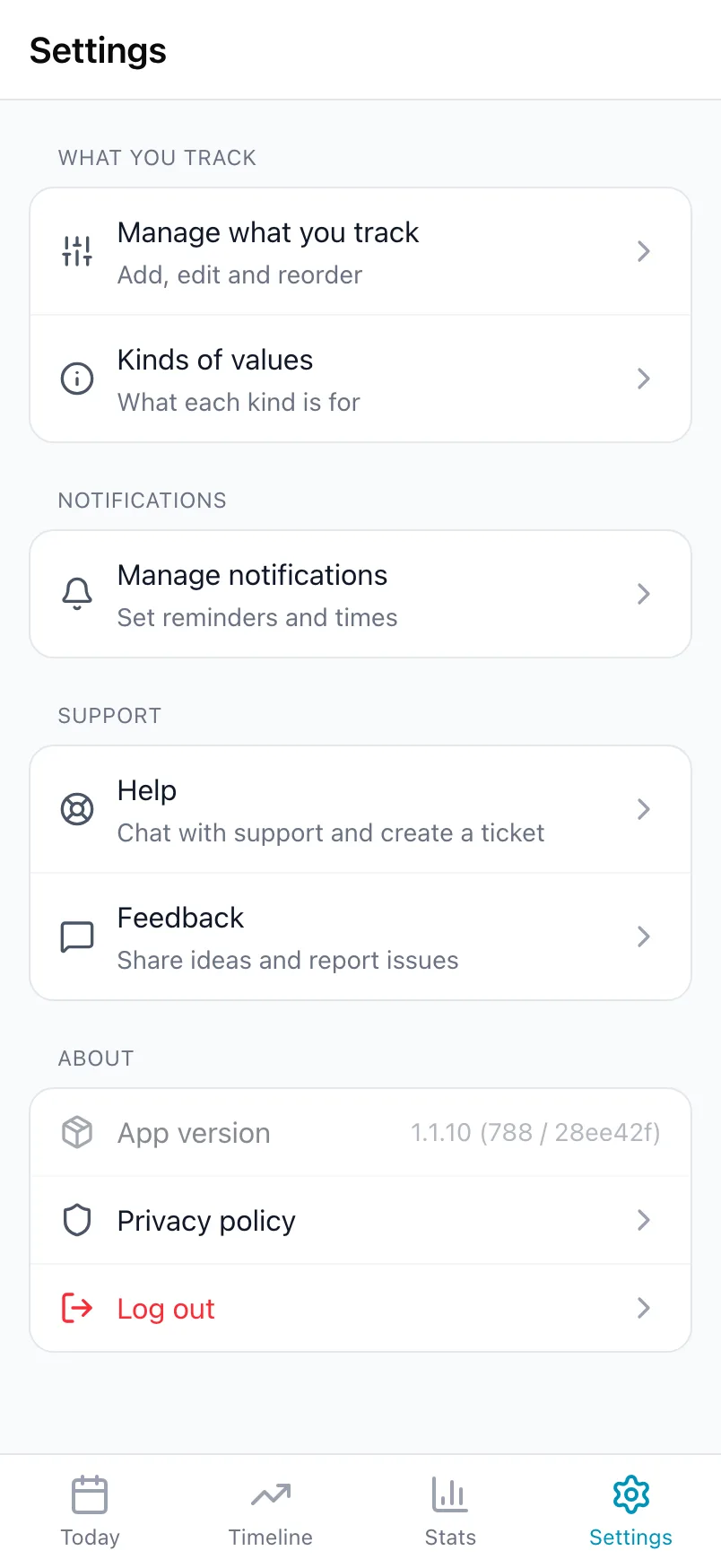
- Manage what you track: add, edit, reorder, switch off and delete trackers. See Set up what you track.
- Kinds of values: a short explanation of each kind in the app. See Kinds of values.
- Manage notifications: daily reminders per weekday, and the emails Loggr sends while you get started. See Daily reminders.
Support and About
- Help: chat with the assistant and create a ticket if it cannot help you. We answer tickets by email.
- Feedback: share ideas and report problems on the Loggr feedback board.
- App version: the version you are running, handy when you report a problem.
- Privacy policy and Log out. Logging out keeps all your data in your account.
Frequently asked questions
How do I change the language of the app?
Go to Settings, Appearance, Language and pick one of the 24 languages. Choose System to follow the language of your device or browser, which is what Loggr does by default.
Does Loggr have a dark mode?
Yes. Go to Settings, Appearance, Night mode and choose Dark, Light or System. System follows the settings of your device.
How do I get help or report a problem?
In the app, go to Settings, Help to chat with the assistant. If it cannot solve your question, create a ticket from the same screen and we answer by email. You can also email support@loggr.cloud.
Ideas and bugs are welcome under Settings, Feedback.