
Your data: export and keep data
Your data is yours. Take all of it with you as a spreadsheet, and decide yourself how long Loggr keeps it.
Updated

Export as CSV
- Go to Settings and choose Export data.
- Tap CSV file.
In the web app the file downloads. On a phone or tablet Loggr saves it and opens the share sheet, so you can send it, save it to Files or open it in a spreadsheet app.
The file is called loggr-export with the date, and has one row per day and one column per tracker, in the order of What you track. Blood pressure gets two columns, SYS and DIA. Switched-off trackers are included. It opens in Excel, Numbers and Google Sheets.
Exporting is part of Loggr Pro. An export only reads your data and changes nothing in the app.
Keep data
By default Loggr keeps everything. Under Settings, Keep data you can choose to keep less:
- Keep all data: nothing is removed automatically.
- Keep last 12 months: older days are removed.
- Keep last 6 months: only recent days are kept.
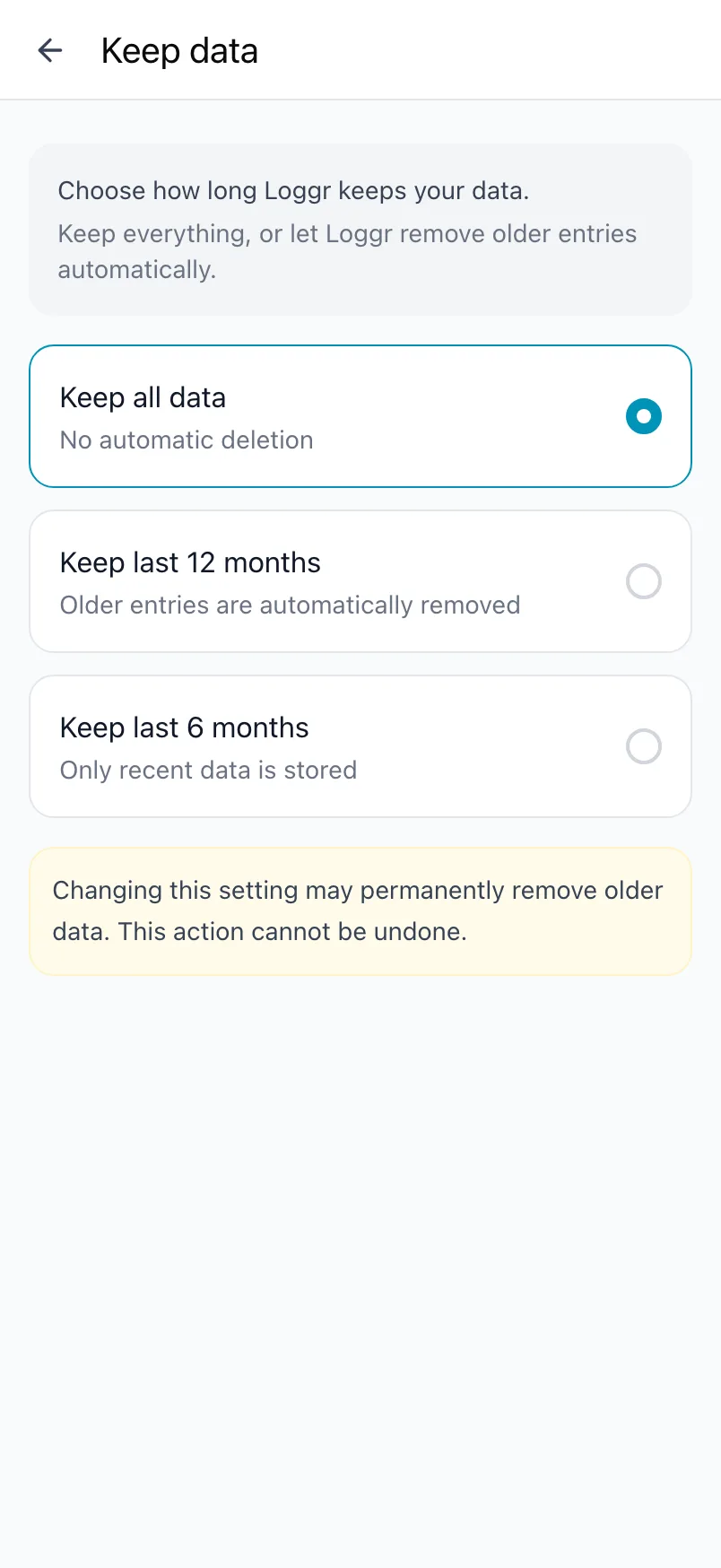
When you choose a shorter period, Loggr first tells you how many days with data that removes and asks you to confirm. Those days are deleted at once, and from then on older days are removed every night. This cannot be undone, so export first if you want a copy.
Import
Loggr has no import. To log earlier days, go back day by day on Today.
Where your data lives
Your data is stored in your own account in data centres in the EU, and only you can read it when you are logged in. More in Your account and privacy.
Frequently asked questions
How do I export my data?
With Loggr Pro, go to Settings, Export data and choose CSV file. You get one row per day and one column per tracker, in the order of What you track. Blood pressure gets two columns, SYS and DIA. The file opens in Excel, Numbers or Google Sheets.
In the browser the file downloads. On a phone or tablet Loggr saves it and opens the share sheet, so you can send it or put it in Files.
The export includes switched-off trackers too.
Can Loggr delete old data automatically?
Yes. Go to Settings, Keep data and choose Keep last 12 months or Keep last 6 months. Loggr first tells you how many days with data that removes and asks you to confirm. Those days are deleted at once, and from then on older days are removed every night.
This cannot be undone. Keep all data, the default, never removes anything.
Where is my data stored and who can see it?
What you track and your values are stored in your own account in Google Firebase, in data centres in the EU. Only you can read them when you are logged in. Loggr does not sell your data and shows no ads.
Insights are calculated on your device. Purchases go through RevenueCat, the App Store and Google Play, and the help chat runs on Aidbase. The full details are in the privacy policy at loggr.cloud/privacy-policy.
Can I import data from another app?
No, Loggr has no import. You start logging from today, or go back day by day on Today to log earlier days by hand.